
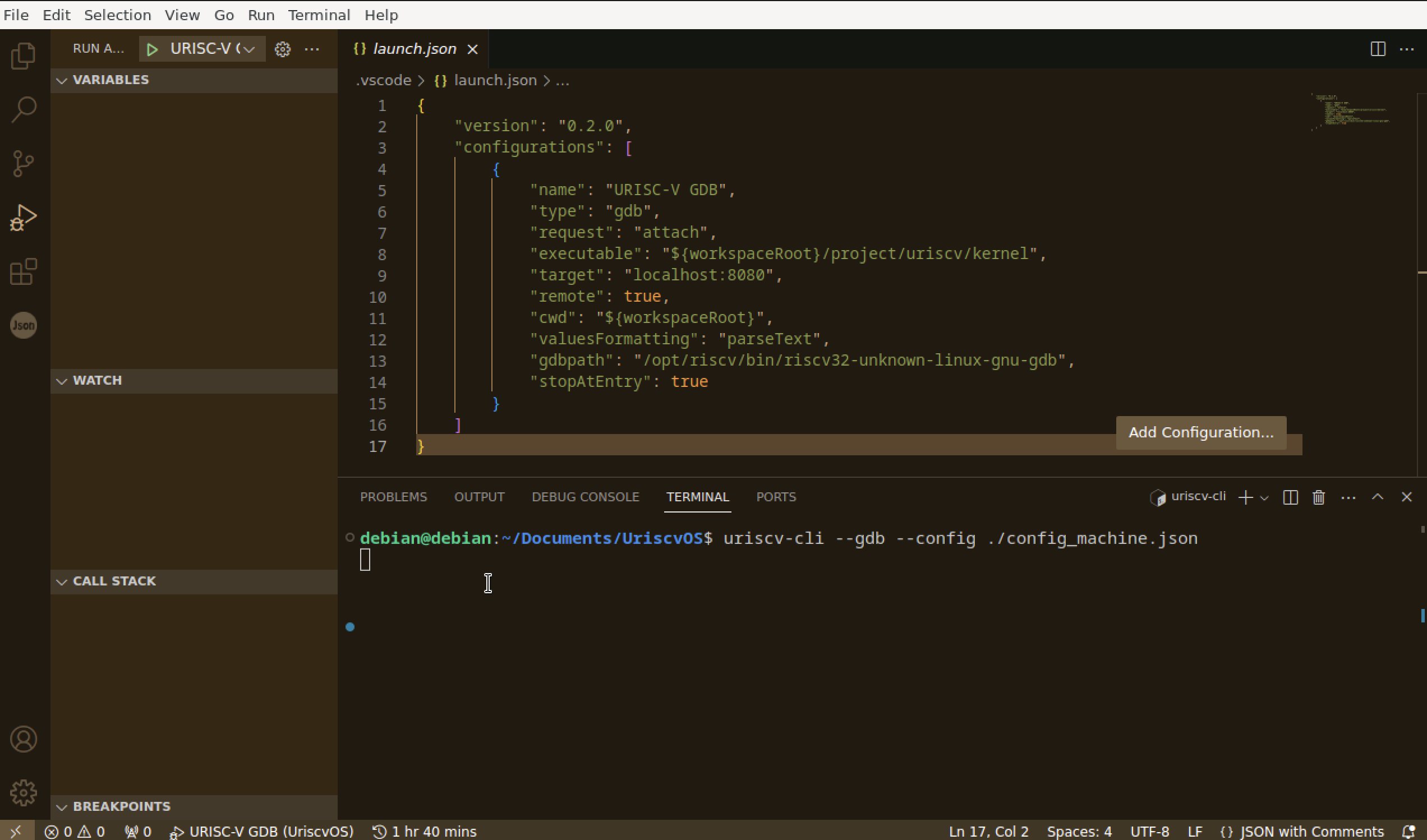
使用了 native debug 插件作为调试插件,想要给 uriscv 的项目调试,使用的指令和使用的 launch.json 如图,但是在点击左上方绿色三角后却没有任何输出,如果把终端的指令里的 --gdb 去掉直接运行这条指令并不使用调试的话,是有正常输出的,这是为什么?问题在哪里?是我在 vscode 里使用 gdb 调试的方法不对吗?
以前完全没有使用 GDB 的经验所以一点头绪都没有……
操作系统是 M1 芯片的 MAC 的 UTM 的 debian12 。。
感谢!
使用了 native debug 插件作为调试插件,想要给 uriscv 的项目调试,使用的指令和使用的 launch.json 如图,但是在点击左上方绿色三角后却没有任何输出,如果把终端的指令里的 --gdb 去掉直接运行这条指令并不使用调试的话,是有正常输出的,这是为什么?问题在哪里?是我在 vscode 里使用 gdb 调试的方法不对吗?
以前完全没有使用 GDB 的经验所以一点头绪都没有……
操作系统是 M1 芯片的 MAC 的 UTM 的 debian12 。。
感谢!
 |
1
Fffys OP 图里的路径和 `config_machine.json` 里的路径都是正确的,找了同学要来了他的版本,能正常运行,但似乎我还是不懂为什么同学的配置可以图里的就不可以?
```json { "configurations": [ { "name": "RISC-V: Debug on URIscV", "type": "cppdbg", "request": "launch", "program": "${workspaceRoot}/project/uriscv/kernel", "MIMode": "gdb", "miDebuggerPath": "/opt/riscv/bin/riscv32-unknown-linux-gnu-gdb", "miDebuggerServerAddress": "localhost:8080", "stopAtEntry": false, "stopAtConnect": true, "cwd": "." } ] } ``` |
 Select Language